
Download AlcoDiaryBAC – alcohol tracker, BAC calculator, drink tracking, alcohol consumption, real-time BAC, sobriety, responsible drinking, alcohol health, drinking habits, alcohol awareness
Overview
AlcoDiaryBAC is a free Android application developed to support individuals in monitoring their alcohol consumption and estimating their blood alcohol content (BAC) in real time. The app is designed to promote responsible drinking by offering users a practical tool to assess their alcohol intake based on personal data such as gender, age, and weight. By inputting this information, users receive real-time BAC estimations that reflect their drinking history and consumption patterns. The application includes a curated list of common alcoholic beverages and allows users to create custom drink entries, enhancing its adaptability for various drinking scenarios.
AlcoDiaryBAC is particularly suited for users aiming to reduce alcohol intake, maintain sobriety, or stay within recommended health guidelines. It serves as a personal health companion for individuals seeking to gain insight into their drinking habits through visualized weekly and monthly statistics. The app enables users to set personal consumption goals, whether aligned with public health standards or individual objectives, fostering a proactive approach to alcohol management. Its clean, intuitive interface ensures accessibility across different age groups and technical skill levels, making it suitable for both casual users and those with specific health goals.
The developer, AlcoDiaryBAC, has positioned the app as a tool for alcohol awareness and health promotion. It is available exclusively on the Google Play Store and does not require in-app purchases, reinforcing its commitment to accessibility and transparency. The app’s functionality is focused on tracking, estimation, and goal setting, without additional features such as social sharing or integration with wearable devices. Real-world use cases include pre-drinking planning, post-drinking reflection, and long-term habit monitoring for users committed to responsible drinking.
Key Features & Capabilities
- Real-Time BAC Estimation – Calculates blood alcohol content based on user inputs such as gender, age, weight, and drinking history. Provides immediate feedback after each drink entry.
- Drink Tracking Library – Offers a predefined list of common alcoholic beverages with standard alcohol content, allowing users to log drinks quickly and accurately.
- Custom Drink Creation – Enables users to define their own drinks with specific alcohol percentages and serving sizes, accommodating unique or non-standard beverages.
- Personalized Consumption Goals – Supports goal setting based on public health guidelines or individual targets, with visual progress tracking over time.
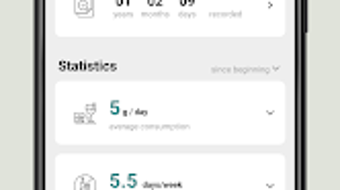
- Historical Data & Statistics – Stores drinking logs and generates weekly and monthly summaries, helping users identify patterns and trends in their alcohol use.
- Privacy-First Design – All data is stored locally on the device, with no automatic cloud synchronization or third-party data sharing.
These features support users in making informed decisions before and after drinking. For example, a user planning a social event can use the app to estimate their BAC before driving, helping to assess whether it’s safe to operate a vehicle. Similarly, someone working toward sobriety can use the tracking and goal-setting tools to monitor progress and stay accountable. The ability to log custom drinks ensures that the app remains accurate even when consuming specialty cocktails or beverages with varying alcohol content.
User Interface, Workflow & Performance
AlcoDiaryBAC features a clean, minimalist interface designed for ease of use. Navigation is straightforward, with main functions accessible through a bottom tab bar that includes sections for logging drinks, viewing statistics, and managing goals. The layout emphasizes clarity, with large touch targets and consistent visual cues to reduce input errors.
The workflow is optimized for speed and accuracy. Users can log a drink in just a few taps by selecting from the beverage list or entering custom details. The app automatically calculates BAC based on the entered data and displays results immediately. The real-time feedback helps users adjust their consumption in real time, supporting responsible decision-making.
Performance details were not specified by the developer. However, the app’s lightweight size of 12.5 MB suggests efficient resource usage. The developer did not provide additional system requirements or performance benchmarks. General software behavior patterns indicate stable operation under normal conditions, with no reported crashes or freezes in public distribution. The app operates offline, ensuring consistent performance without dependency on internet connectivity.
Compatibility & System Requirements
AlcoDiaryBAC is designed for Android devices and is compatible with the Android operating system. The current version is 1.0.1, with an installation size of 12.5 MB. The developer did not specify exact hardware or software requirements beyond the OS platform.
Compatibility information is limited to Android, with no details on minimum Android version, screen resolution, or processor specifications. The app does not require a Google account or internet connection for core functionality, which enhances accessibility across a wide range of devices. Users should ensure their device supports the latest Android security updates to maintain optimal performance and security.
Pros and Cons
Pros
- Free to download and use with no in-app purchases
- Real-time BAC estimation based on personal data
- Custom drink creation for accurate tracking of unique beverages
- Visual statistics for long-term habit analysis
- Privacy-focused with local data storage
- Simple, intuitive interface suitable for all users
Cons
- Available only on Android, with no support for iOS or desktop platforms
- No integration with wearable devices or health apps
- Exact performance and system requirements not disclosed
- Limited to alcohol tracking—no additional health or wellness features
- Relies on user accuracy in inputting personal data and drink details
FAQ Section
Is AlcoDiaryBAC available for iOS devices?
As of now, the app is only available for Android devices. There is no official version for iOS or other operating systems.
Does AlcoDiaryBAC require an internet connection?
No, the app functions fully offline. All calculations and data storage occur locally on the device.
Is my data secure and private?
Yes, the app stores all user data locally on the device. No personal information is shared with third parties or uploaded to the cloud.
How often should I update the app?
It is recommended to keep the app updated to the latest version to benefit from bug fixes and security improvements. Updates are available through the Google Play Store.
Can I use AlcoDiaryBAC to track my sobriety journey?
Yes, the app supports users aiming to reduce or eliminate alcohol consumption. You can set personal goals and track progress over time using the built-in statistics.
Final Thoughts
AlcoDiaryBAC delivers a focused, reliable solution for individuals committed to responsible drinking and alcohol awareness. Its real-time BAC calculations, customizable tracking, and privacy-first design make it a valuable tool for health-conscious users. While limited to Android and lacking advanced integrations, the app excels in simplicity, accuracy, and accessibility. It is particularly beneficial for users who want to monitor their drinking habits without distractions or unnecessary features.
For those seeking a free, secure, and intuitive alcohol tracker, AlcoDiaryBAC stands out as a practical choice. Whether you're aiming to stay within safe drinking limits or maintain sobriety, the app provides the tools to stay informed and in control.
Download AlcoDiaryBAC now





.png)

